
2.7 KiB
2.7 KiB
Teams - Linux
It's possible to have Microsoft Teams on Linux and to mount teams folder.
Install Microsoft Teams on Linux
Install Snap
sudo apt update
sudo apt install snapd
sudo snap install teams-for-linux
Mount Teams folder
The various software for backing up One Drive require a "Drive ID" for copying documents. For the personal drive of the account this is done automatically but when you want the ID of a Teams group, you need the address of the Sharepoint drive. Here's how to get it.
Find drive ID
- Open the Microsoft Graph site and go to Graph Explorer
- Sign in with your Microsoft account and make sure the tenant is HESSO
- Insert the command:
https://graph.microsoft.com/v1.0/sites?search={Name_of_your_team}then execute it. The text to the right of the symbol = acts as a search engine. Here we want all sites related to FS.

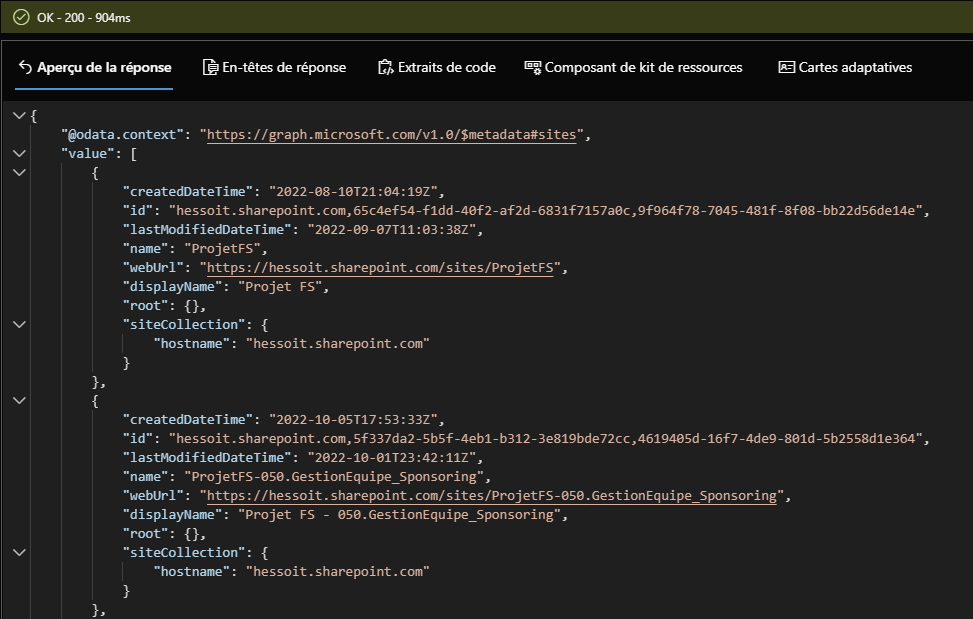
- Retrieve the site identification (id).
We also check that the site name is correct, here the first one is "ProjetFS" which is indeed the name of the Sharepoint.
Here the site id is: "hessoit.sharepoint.com,65c4ef54-f1dd-40f2-af2d-6831f7157a0c,9f964f78-7045-481f-8f08-bb22d56de14e" - Now taper the command:
https://graph.microsoft.com/v1.0/sites/{site-id}/driveby replacing{site-id}with the result obtained previously.

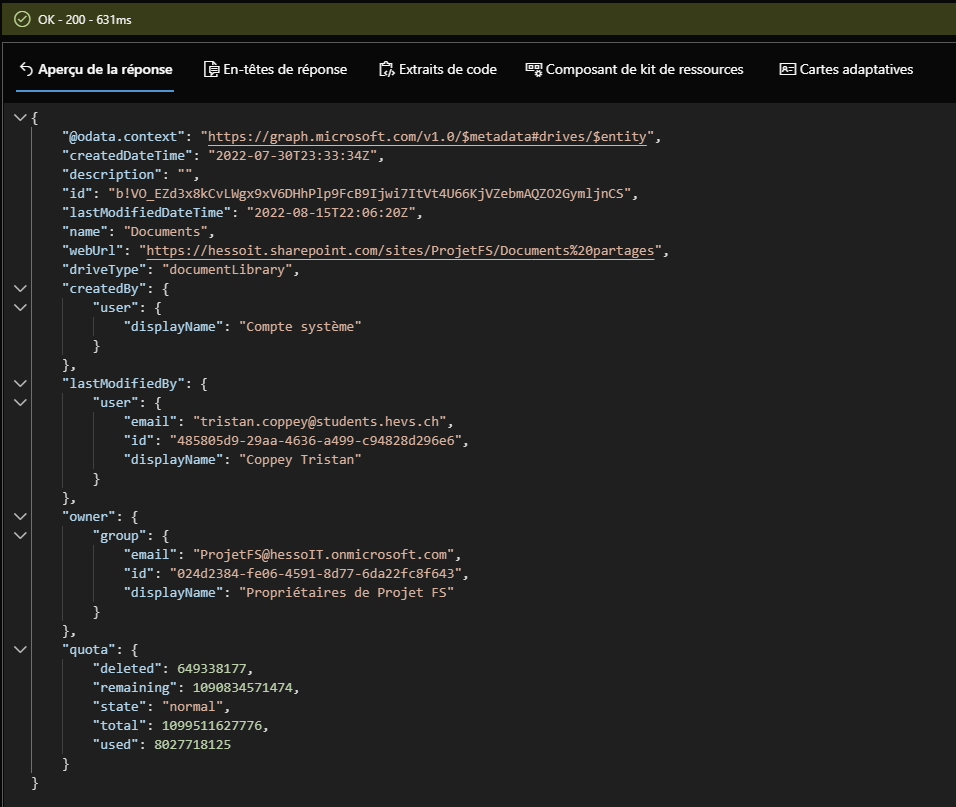
- Retrieve the drive identification (id).
Here the drive id is: "b!VO_EZd3x8kCvLWgx9xV6DHhPlp9FcB9Ijwi7ItVt4U66KjVZebmAQZO2GymljnCS"


Mount Teams folder with rClone
Install rClone
sudo apt update
sudo apt install rclone
- Configure rClone:
rclone config - Follow the instructions to configure rClone
- It's a "OneDrive" configuration
- Leve blank the "client_id" and "client_secret"
- It's on Microsoft Cloud Global
- Choose "Type in driveID"
- Create a directory to mount the Teams:
mkdir ~/Teams/{Team_name} - Mount Teams folder:
rclone --vfs-cache-mode writes mount {team_name}: ~/Teams/{Team_name} - Automount Teams folder on Startup
- On
Startup Applicationsadd a new entry with the following command:sh -c "rclone --vfs-cache-mode writes mount {team_name}: ~/Teams/{Team_name}"